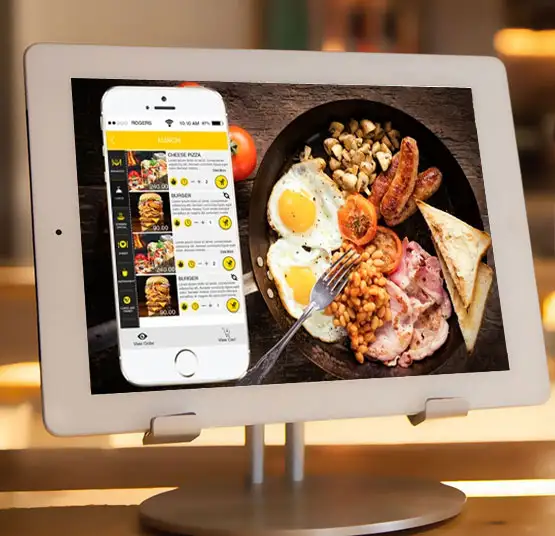
Transform Your School Canteen Operations with a Smart Digital Canteen Management System
A school canteen is not just a venue for children to purchase food. It plays an essential role in the school's day-to-day operations, student health, convenience and school operations.
But there are numerous challenges involved in operating a traditional canteen:
- Extended lunch lines at lunch time
- Manual cash handling
- Inability to keep up with daily sales
- Inventory management issues
- Parents have limited visibility of the content.
- The problem of food wastage has been attributed to poor planning.
The transition to a digital solution becomes a necessity for Malaysian schools, colleges, universities and tuition centres, as well as educational institutions.
Modern Online School Canteen Management System Malaysia is designed to streamline the food operations of an institution with cashless payment, streamlined processes, inventory management, and real-time management.
EmsPlus will allow the creation of a smarter canteen experience – fast payment for students, tighter parent control and efficient administration for schools.
What Is a School Canteen Management System?
A school canteen management system is an electronic solution that provides a single solution for all canteen operations throughout the day.
Automate the following critical processes to save time and money, rather than relying on manual records, cash transactions, and old-fashioned methods:
- Student meal payments
- Food ordering
- Sales tracking
- Inventory management
- POS operations
- Parent account management
- Transaction reporting
A full school canteen payment system Malaysia enables the students, parents, canteen operators and school administrators to enjoy a more structured and secure food management system.
Common challenges in traditional school canteen management
There are still many schools that process canteen payments in cash. This method is known, but has several operational issues.
The typical problems that occur in conventional school canteen management:
Cash Handling Problems
Every day, it can be difficult to deal with physical cash, which can result in:
- Calculation mistakes
- Lost money
- Time-consuming reconciliation
- Difficult transaction tracking
- Long Student Waiting Times
Hundreds of students can go to the canteen during short break.
Manual payments can generate:
- Long queues
- Delayed service
- Less time for students to eat
- Limited Parent Visibility
Parents may not be aware of:
- What their child purchased
- How much they spent
- Number of times they purchase food.
- Inventory Management Issues
If not properly monitored, canteens can be vulnerable to:
- Overstocking
- Food wastage
- Stock shortages
However, the cashless canteen system Malaysia can help resolve these issues by streamlining the food management process and making it faster and more transparent.
How emsPlus Cashless Canteen Software & Mobile App Works
The emsPlus canteen solution is a digital ecosystem that brings together students, parents, schools and canteen operators.
Student Experience
Students can use:
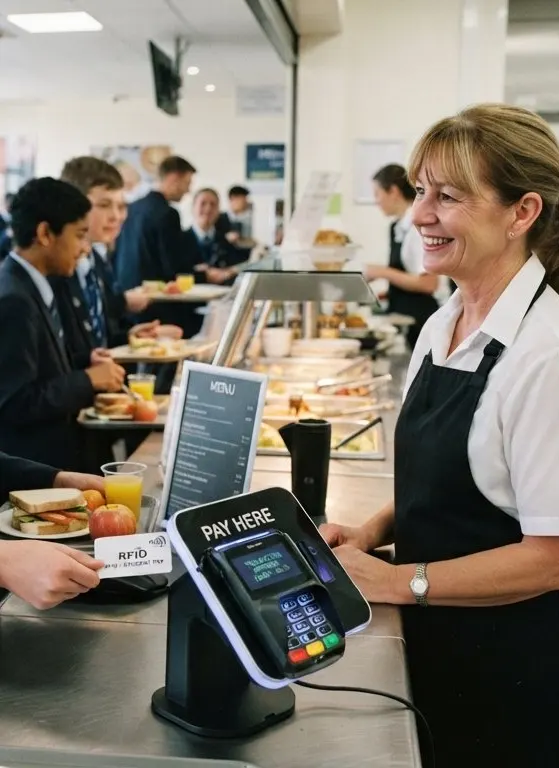
- RFID cards
- Digital payment methods
- Mobile-based payment options
To make meals more convenient and quicker to buy.
Parent Experience
Parents can manage:
- Student meal accounts
- Spending limits
- Transaction monitoring
- Account balance
This will help parents manage the daily costs of their child's meals.
School Management Experience
Administrators can monitor:
- Sales reports
- Food trends
- Canteen performance
- Operational activities
- Using a single platform.
Key Features of emsPlus School Canteen Management System
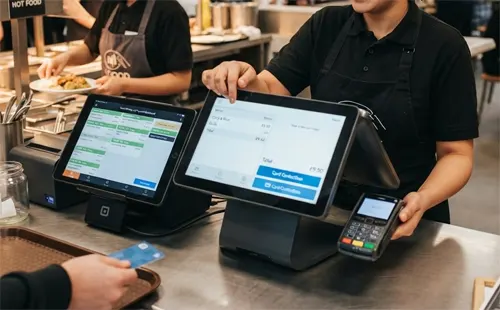
1. Cashless Payment System for Faster Transactions
A cashless payment system helps to minimize the use of cash.
Benefits:
- Faster checkout process
- Reduced queues
- Better transaction accuracy
- Safer payment environment
A cashless payment canteen Malaysia solution assists schools to establish a contemporary and effective dining encounter.
2. Parent Account Management
Parents are important in managing student spending. emsPlus brings greater visibility to parents by giving them the opportunity to:
- Funds to student accounts
- Monitor food purchases
- Track spending history
- Control meal budgets
This helps to improve communication between the schools and parents. Parents can feel more assured when they know what their child is spending their meal money on.
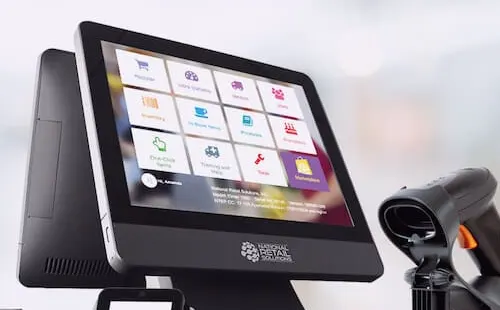
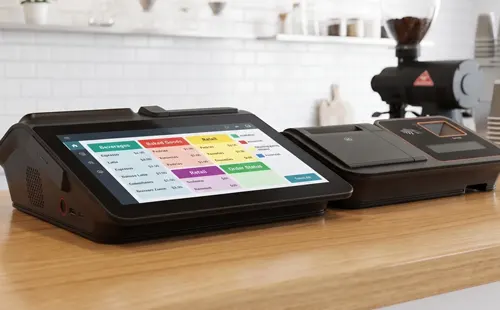
3. POS System for Better Canteen Operations
A Point of Sale (POS) system enables the canteen staff to run their daily business efficiently.
With POS integration, schools can manage:
- Food sales
- Payment records
- Transaction history
- Daily revenue reports
A digital POS system saves from manual calculation and enhances the accuracy of the business operations.
Track the inventory and food stocks
Managing food inventory is one of the biggest challenges in school canteens.
A digital inventory system enables the operators to monitor:
- Available food items
- Stock levels
- Ingredient usage
- Sales patterns
Benefits include:
- Reduced food wastage
- Better purchasing decisions
- Improved stock planning
The right canteen management software Malaysia can assist schools in conducting efficient food operations.
A smart canteen system can make the process of ordering a meal easier
Students and parents have opportunities to benefit from:
- Digital menu access
- Faster ordering
- Better meal planning
- Improved convenience
This helps the institution to create a smart canteen Malaysia.
Real-Time Reports and Analytics
Having accurate information is crucial for school administrators to make better decisions.
emsPlus offers insights into:
- Daily sales
- Popular food items
- Student purchasing patterns
- Revenue performance
These reports inform schools of how to improve:
- Food planning
- Canteen efficiency
- Student experience
Benefits of Implementing a Digital Canteen Management System
For Schools
A digital canteen solution helps schools:
- Reduce administrative workload
- Improve payment management
- Monitor operations easily
- Design a more secure cashless environment
For Students
Students experience:
- Faster payments
- Shorter queues
- Convenient meal purchases
- Better campus experience
For Parents
Parents receive:
- Spending transparency
- Better control
- Digital monitoring
- Peace of mind
For Canteen Operators
Operators benefit from:
- Automated transactions
- Better inventory control
- Sales tracking
- Improved planning
Why RFID Canteen System Is Becoming Popular in Malaysia
Schools are stepping towards smarter campus management with the help of RFID technology. Students can use RFID enabled cards for secure payments using an RFID canteen system Malaysia solution.
Benefits:
- Quick identification
- Faster transactions
- Reduced cash dependency
- Improved student accounts management.
RFID can be linked to other campus services like:
- Attendance systems
- Library management
- Campus access control
This forms the digital campus ecosystem.
Who can use emsPlus Canteen Management System?
The solution is applicable to:
- Malaysian Schools
Supervise students' food, money and feeding in the school canteen. - International Schools
Ensure a modern digital campus experience. - Colleges & Universities
Manage larger numbers of students, and multiple food outlets. - Tuition & Coaching Centres
Handle students' payments and food services effectively.
Why emsPlus Digital Canteen Management?
emsPlus aims to make life easier for educational institutions by providing technology solutions.
Parent management, inventory tracking, POS operations and reporting features make emsPlus a key part of enabling schools to have a more efficient canteen environment with cashless payments.
Canteens can be integrated with an institution's entire education management ecosystem, rather than running on separate systems.
Frequently Asked Questions
School food management will be digitalized in the future.
A traditional cash-based canteen operation poses an unnecessary challenge to the school, student, parent and operator.
The Online School Canteen Management System Malaysia assists educational institutions to enhance the efficiency of payments, inventory management, reduce operational difficulties, and create a more fulfilling student experience.
By implementing emsPlus, schools can take a step towards creating a smarter canteen powered by cashless payments, digital management, and connected technology.
Experience an emsPlus faster, safer and smarter canteen experience today.
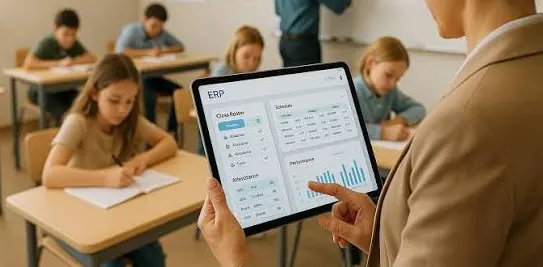

University ERP
The administration of a modern university is increasingly getting more complicated yearly.
College ERP
The administration of a college is much more complicated than the day to day affairs of the college.

School ERP
There are hundreds of activities that need to be managed in a modern education institution daily