
Introduction
If you run a school in Malaysia, you've probably had this conversation often. You might manage a national school, an international campus, or a private tuition centre. But the question is always the same. Should you keep your software bolted to your office server or move everything to the cloud?
This is a massive decision. Your school ERP system handles student records, fee collection, attendance, exam results, staff payroll, and parent communication. Get it wrong and you're stuck with a massive bill. You might also end up with a platform that refuses to grow with your enrolment.
You need to weigh on-premise software against cloud computing based on how Malaysian schools actually operate. That means looking hard at PDPA compliance, local internet reliability, and strict budget realities. Finding the right fit depends entirely on your school's size, IT capacity, and growth plans.
What is the difference between on-premise and cloud ERP software?
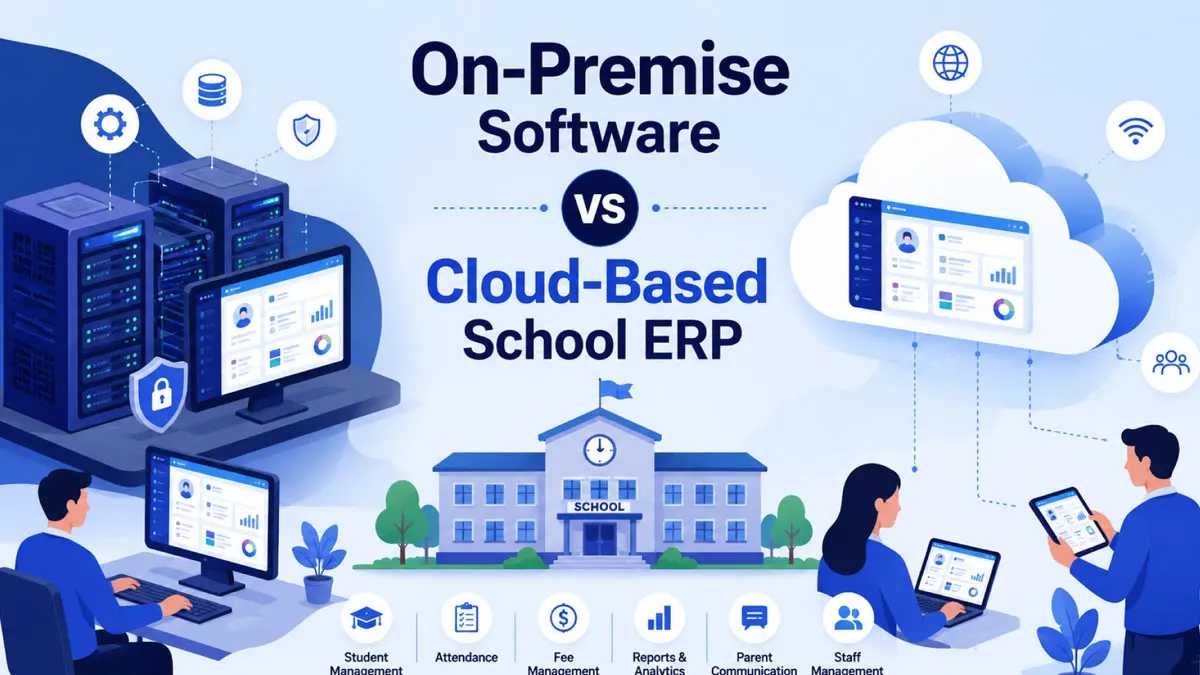
On-premise software runs on servers physically sitting in your school. Your own IT staff manages them. Cloud ERP solutions run on remote servers managed by the vendor. You access them through the internet from any device.
Here is how the two models compare in practice:
| Factor | On-premise software | Cloud ERP solutions |
| Where it runs | School's own servers | Vendor's data centres |
| Upfront cost | High (hardware + licences) | Low (subscription-based) |
| IT staff needed | Yes, dedicated team | Minimal, handled by vendor |
| Access | Only on school network | Any device, anywhere |
| Updates | Manual, scheduled by IT | Automatic |
| Data backup | School's responsibility | Vendor's responsibility |
| Scalability | Requires new hardware | Instant, adjust subscription |
Both models easily run a full school management system. They track attendance, admissions, fee tracking, timetabling, and reporting. You just need to figure out which delivery model fits your actual daily operations.
Cost comparison: what Malaysian schools actually pay
Cost is usually the first thing school administrators ask about. We can just look at the raw numbers.
On-premise hardware requires massive upfront spending and constant maintenance:
- Server hardware (RM 15,000 to RM 50,000+ depending on school size)
- Software licences, often per-user or per-installation
- An IT technician or outsourced support contract
- Air-conditioned server room and backup power (UPS)
- Periodic hardware replacement every 4 to 6 years
Cloud ERP software spreads your costs out through a subscription:
- Monthly or annual per-student or per-user fee
- No hardware to buy or maintain
- Updates and security patches included
- Support usually bundled into the subscription
A mid-sized private school in Klang Valley with 500 to 1,000 students can easily spend tens of thousands of ringgit on an on-premise setup. You pay all of that before you even enter your first student record. A cloud-based equivalent gets you up and running in days for a fraction of that initial price. But you still need to project those subscription costs over 3 to 5 years to get a fair comparison against an on-premise total cost of ownership.
Data security and PDPA compliance in Malaysia
This makes many Malaysian school administrators nervous. And they have good reason to worry. Student data includes names, IC numbers, health records, and parents' contact details.
Malaysia's Personal Data Protection Act 2010 (PDPA) dictates how organisations collect, store, and process personal data. The Personal Data Protection (Amendment) Act 2024 updated these rules. The amendments introduced the most significant reforms since the law was enacted, phased in through 2025, and cover the framework as it stands in 2026. Any private school handling student and parent data must treat this as a strict legal requirement.
On-premise data storage dumps the entire compliance burden on your school. Your IT staff must handle encryption, access controls, breach detection, and audit trails. They usually have to do this without any dedicated security expertise.
Cloud-based data storage hands much of this responsibility to the vendor. These companies typically have dedicated security teams, encrypted storage, and regular audits. But Malaysia's PDPA governs how data users process personal data, and there's no direct provision requiring data processors (such as cloud vendors) to comply with the PDPA independently. So your school remains legally accountable as the data user even when a third-party cloud provider holds the files.
You should check a few specific details before choosing a cloud vendor:
- Where is the data physically hosted (locally or cross-border)?
- Does the vendor have a documented breach notification process?
- Is there a written data processing agreement?
- Can the school export or delete data on request (important for PDPA data subject rights)?
Both models carry distinct security risks. A poorly maintained on-premise server creates far more risk than a well-audited cloud platform. And a neglected cloud account is just as dangerous.
Accessibility and internet reliability
Malaysia's internet infrastructure is much better now thanks to fibre broadband expansion. But speeds still vary wildly. Urban centres like Kuala Lumpur or Penang have great connections while schools in rural Sabah, Sarawak, or Kedah often struggle.
On-premise systems run on your local network. They work perfectly fine during internet outages. This is a massive advantage for schools dealing with spotty connectivity.
Cloud applications depend completely on a stable internet connection. Staff simply can't access attendance or fee records if the line goes down. You have to wait until it comes back online, though some reputable cloud ERP vendors do build mobile apps with offline modes that sync later.
Scalability and multi-campus management
Scalability might not worry you if you run a single campus with stable enrolment. But many Malaysian education groups need a system that grows alongside them. This includes school chains, tuition centre franchises, and international school groups with branches across multiple states.
Cloud computing ERP has a massive advantage here. Adding a new campus, more student accounts, or extra modules for transport, hostels, and libraries is just a settings change. You can skip the hardware purchases entirely. On-premise systems force you to buy and bolt down new servers at every single location or build an expensive centralised infrastructure.
Single-campus schools with no expansion plans can mostly ignore this. On-premise remains a solid choice if you already have the IT resources sitting in your building.
Which should Malaysian schools choose?
Here is a practical way to make your decision:
Choose on-premise software if:
- Your school already has in-house IT staff and infrastructure
- You operate in an area with unreliable internet
- Your strict internal policies require data to stay physically on-site
- Your budget easily covers upfront hardware investments
Choose cloud ERP solutions if:
- You want to avoid massive upfront costs
- You have multiple campuses or plan to expand
- You need parents and teachers to access records remotely
- Your internal IT team is small or non-existent
Many Malaysian private and international schools lean heavily toward cloud-based ERP software. These cloud platforms strip back the operational load for small administrative teams.
You just have to pick the tool that actually fits your daily operations.
Frequently Asked Questions
Conclusion
Your budget structure, IT capacity, and growth plans will dictate your choice. On-premise systems give you complete physical control and offline reliability. They just demand massive upfront investments and in-house expertise. Cloud ERP solutions give you a cheap starting price, easy expansion, and remote access. You just need a stable internet connection and a vendor you actually trust with your PDPA compliance.
Map out your actual requirements before you ever speak to a vendor. Write down your exact number of students, campus locations, existing IT resources, and local internet speeds. That basic groundwork makes the final choice obvious.
Need help evaluating school ERP options for your institution? Reach out for a personalised comparison based entirely on your school's size and budget.